Metro by T Mobile e sim complete guide : Metro PCS now supports e SIM , and this is a huge win for prepaid customers who want fast activation, no physical SIM cards, and easy switching between phones.
This guide explains everything from what Metro e SIM actually is, to compatible phones, activation steps, plans, QR codes, fixes for eSIM not working, and answers to all real user queries.
If you’re wondering whether Metro e SIM works on iPhones , Android devices, unlocked phones, or how to activate it online, this article walks you through step by step.
What is Metro by T Mobile e SIM ?
Metro by T Mobile e SIM is a digital SIM that lets you connect to Metro’s network without a physical SIM card.
Instead of inserting anything, you just scan a QR code or download a digital profile.
It works just like a normal SIM but lives inside your phone.
How to Activate Metro by T Mobile e SIM ( Step by Step )
When it comes to activate metro e sim i found most of the peoples got confused and they don’t know how to activate.
Here I will explain how to activate metro e sim by yourself with easy step by step process.
You can activate your Metro e SIM in three ways :
Activate Using the Metro App (Method 1)
- Download the MyMetro App
- Sign in or create an account
- Choose Activate eSIM
- Enter your IMEI (eSIM IMEI)
- Follow on screen instructions
- Restart your phone
For most users, activation completes within 5 minutes.
Activate Metro e SIM by Scanning QR Code (Method 2)
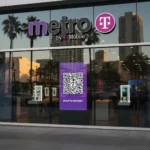
Metro sometimes sends a QR code when you switch devices.
Get metro eSIM QR codeSteps to activate metro e sim with qr code :
- Go to Settings → Cellular → Add eSIM
- Scan QR code
- Wait for download
- Restart phone
Convert Metro Physical SIM (Metro PCS) to eSIM (Method 3)
Yes, you can convert your physical Metro SIM well know as Metro PCS into a esim.
How to convert metro PCS to metro esim :
Set up metro esim on iphone
- Go to Settings → Cellular → Add eSIM
- Choose Use QR code or Convert to eSIM
- Follow steps
- Restart device
Also read : how you can get free esim if you have i phone.
Set up metro esim on Android
Each brand has different menus, but Samsung is most common.
Samsung :
Settings → Connections → SIM Manager → Add eSIM → Scan QR
Google Pixel :
Settings → Network & Internet → SIMs → Add eSIM
Metro by T Mobile e SIM Plans & Pricing
Metro offers popular prepaid plans that work perfectly with e SIM . These plans apply to both metro physical SIM and eSIM.
| Plan Name | Data | Price | Usage |
|---|---|---|---|
| 10GB Plan | 10GB | $40/mo | Good for basic users |
| Unlimited Plan | Unlimited | $50/mo | Good value |
| Unlimited + Hotspot | Unlimited + 5GB hotspot | $60/mo | Great for heavy users |
| 5G Plans | 5G access | Varies | Works smoothly on eSIM |
Metro by T Mobile e SIM vs T Mobile e SIM
This section builds authority.
| Feature | Metro by T-Mobile eSIM | T Mobile eSIM |
|---|---|---|
| Price | Cheaper, prepaid | Higher, postpaid |
| Coverage | Same network | Same network |
| Activation | App + QR | App + website |
| Best for | Budget users, travelers | Power users |
Metro by T Mobile e SIM Not Working ? Troubleshooting Guide
Sometime issue occurs while setting up the metro e sim but don’t worry those issues arises due to silly mistake or incomplete knowledge. Here I explained how to troubleshoot issues while installing metro e sim
1. e SIM Activation Failed
Try :
- Restart phone
- Toggle Airplane mode
- Delete eSIM & reinstall
- Check IMEI is correct
- Ensure phone is unlocked
2. Metro e SIM Not Showing a Network
- Reset network settings
- Update carrier settings
- Check 5G toggle
- Contact Metro support
Frequently asked questions on metro by t mobile esim
Does Metro by T Mobile support e SIM on iphone ?
Yes, all iPhones from XS to 17 series support Metro eSIM.
How to fix Metro eSIM activation not working ?
Restart your device, reinstall the eSIM, or contact Metro to reissue the QR code.
Can I convert my Metro physical SIM to eSIM ?
Yes . You can convert metro physical sim to esim easily. Use “Convert to eSIM” option in phone settings.
Does Metro offer eSIM for prepaid users ?
Yes. All Metro prepaid plans work with eSIM .
Does Metro support eSIM on Android ?
Yes, Samsung S22–S25, Google Pixels, and newer Motorola phones support it.